Internship · Ministry of Public Health
Asset Management System
A government platform tracking equipment across its whole life — purchase, registration, borrowing, repair, inspection, disposal. Built by a team of six; I owned twenty-two of its screens.
Jun 2025 — Nov 2025
- Next.js
- React
- JavaScript
- Tailwind CSS
- shadcn/ui
- React Hook Form
- Zod
- Figma
- Screens I built
- 22
- Workflow areas
- 7
- People on the project
- 6
- Internship
- 6 mo
Overview
The Ministry tracks a large volume of durable equipment — computers, medical devices, furniture — and every purchase, loan, repair, inspection and disposal has to be recorded, found again later, and reported on. The paperwork was the system.
The replacement was a monorepo: a Next.js frontend, a NestJS API over MySQL, and Docker Compose tying them together for local development. Six people worked on it across six months — two of us on the frontend, building from Figma designs.
It was the first time I worked inside a team large enough that my screens had to match someone else's without us checking with each other every day.
What I did
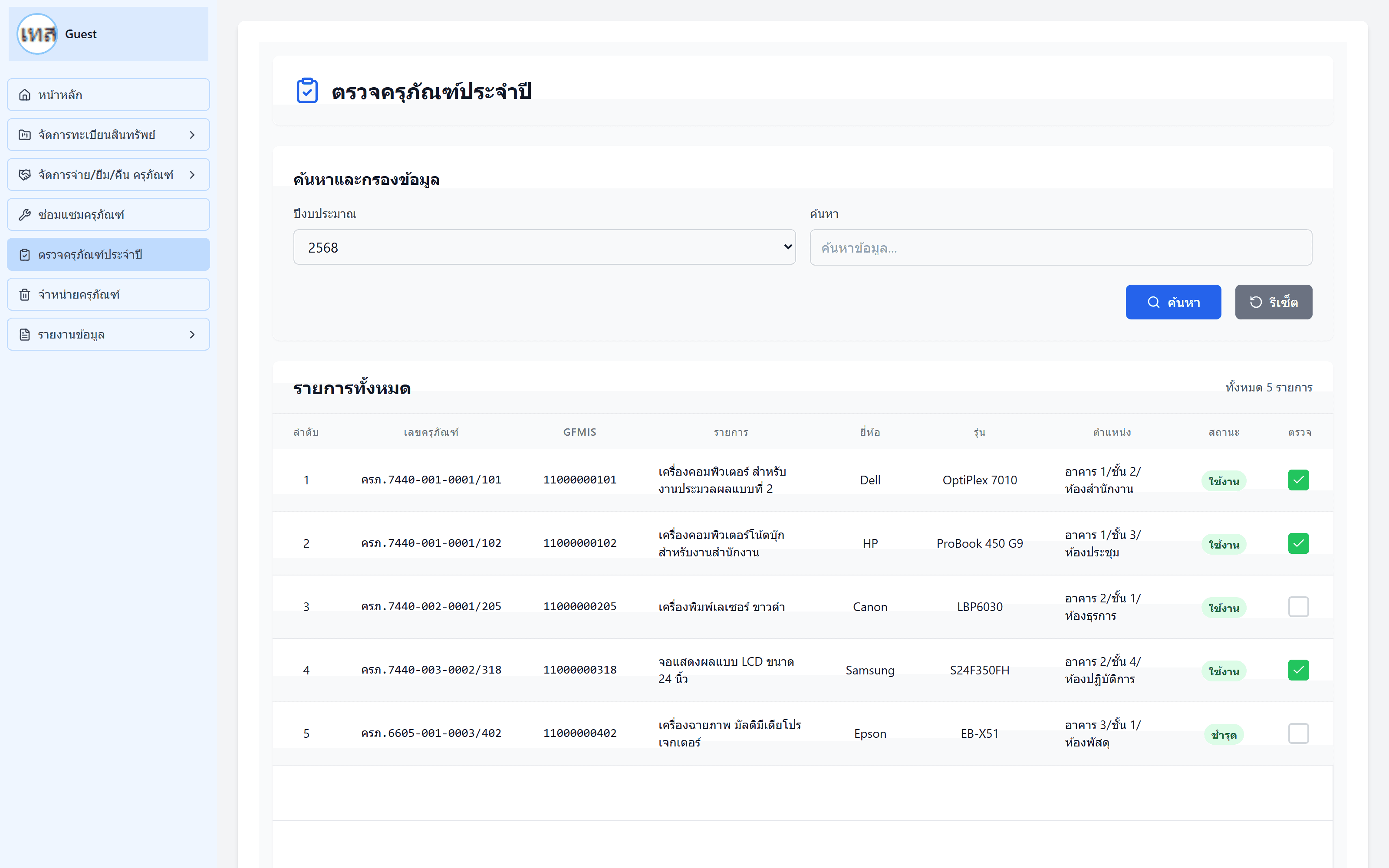
- Built 22 of the application's screens across seven areas: asset registration, asset reporting, borrowing and returns, repair, inspection, disposal, and the reporting suite.
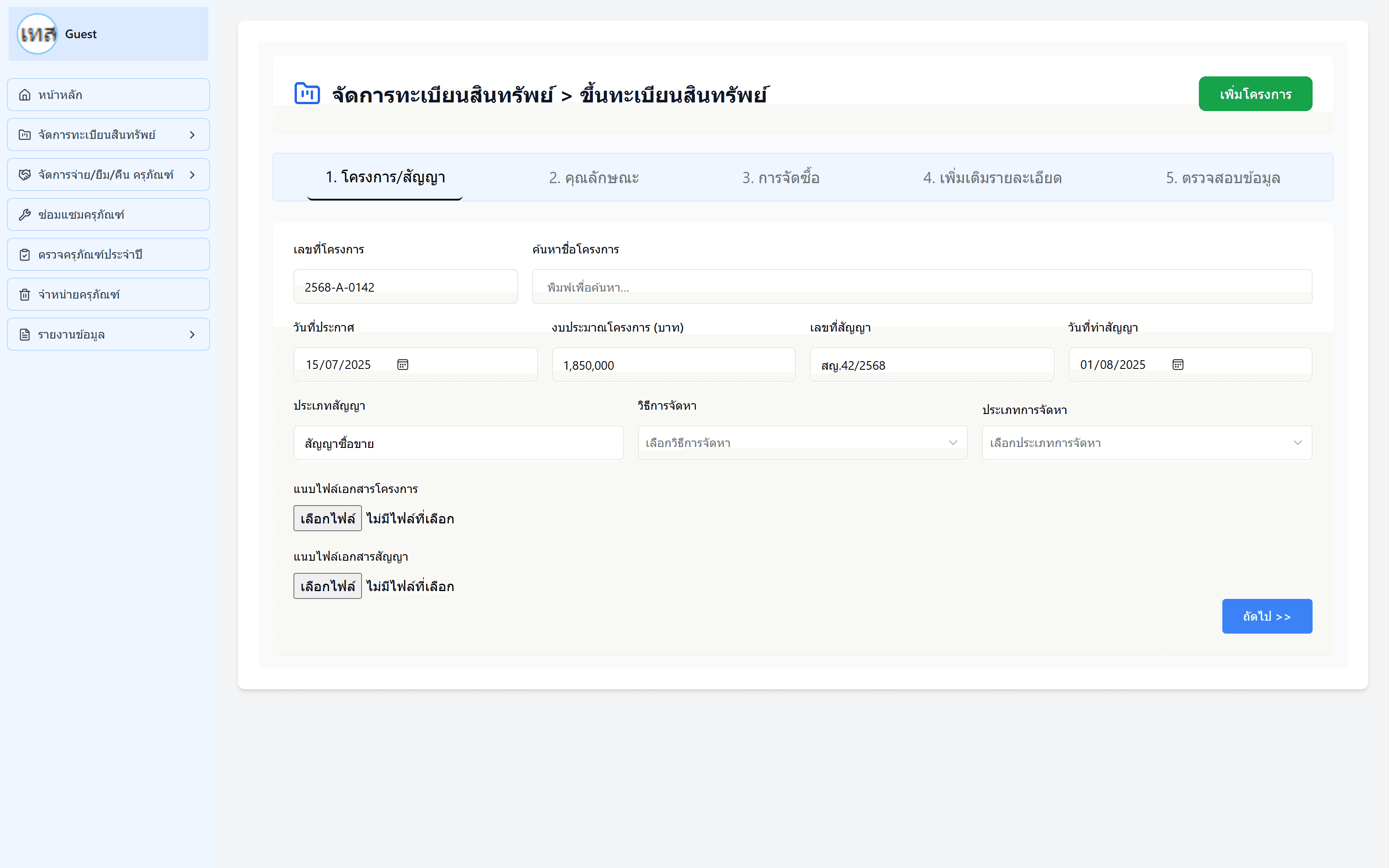
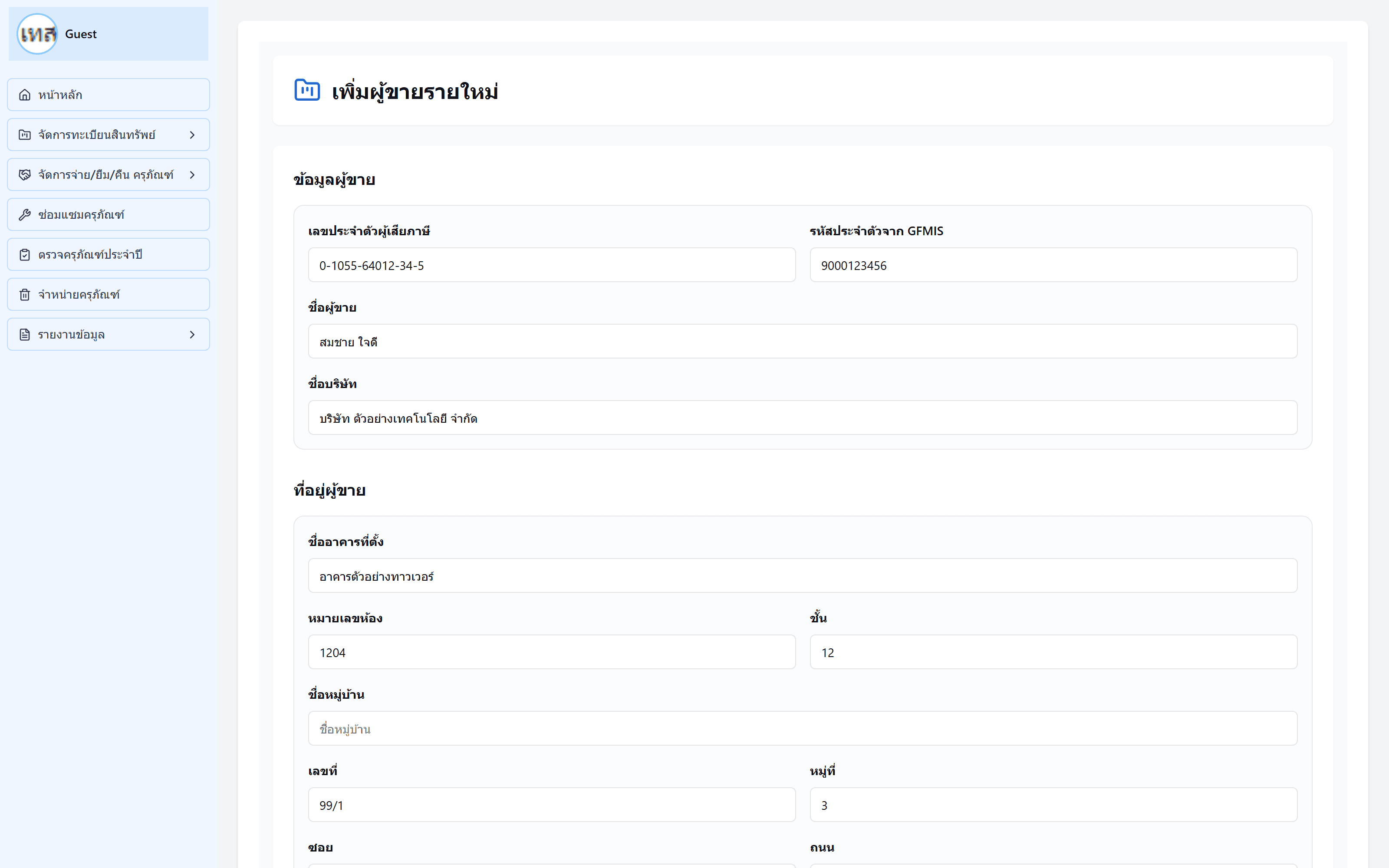
- Built the whole five-step registration wizard — contract, attributes, purchasing, extra details, and a final review — plus the dialogs for adding a new project or supplier mid-flow.
- Built the shared sidebar navigation that every screen in the application sits inside, and rebuilt it later as the app grew.
- Added the search and filter controls the department actually files reports with, including a Buddhist-era year filter across all five report views.
Key features
Five-step registration wizard
Registering an asset means capturing a contract, its attributes, the purchase, supporting details, and then checking the lot before committing. Each step is its own screen with a progress bar across the top, and a supplier or project missing from the dropdowns can be added without losing the half-filled form behind it.
Borrowing and returns
Five screens covering internal and external borrowing, distribution, item registration and returns — recording who has a piece of equipment, when it went out and when it is due back.
Reporting suite
Five report views: annual summary, damaged equipment, breakdown by budget type, by project, and disposal. Each one filters a large table down to the slice a department actually has to submit.
Inspection and disposal
Scheduled condition checks, and the end-of-life flow that retires an asset along with the approval trail a government audit expects to find.
Screens